Application interface from KOLORO
The interface provides a comfortable interaction between the user and the technique. When designing the application interface, you should consider ergonomics and the devices with which the application will interact (laptop, tablet, or smartphone). The user (his comfort and convenience) should be the main criterion in building the interface and creating the design of applications.
YOU GET
3 reasons to order application interface creation from KOLORO
- personal manager controls the project and maintains communication with the customer at all stages of development.
- a team of 6 people will work only on your project.
- Competitor and target audience analysis .
Custom interface: stages of work
Interface design: terms of reference
When creating the TOR, the key points of the application development are discussed, the deadline and pricing policy are determined.
Research for UX interface design
The needs of the target audience, its mood and life goals determine the peculiarities of interface design and its ergonomics. Analysis of the market and competitors’ products allows you to highlight the main errors and inaccuracies of developments, which will later help to create a new and high-quality product.

Creating concepts for user interface development
Sketches, sketches and drawings allow you to determine how UX design of the interface turned out to be ergonomic. Developers when designing the application interface try to understand how a person will act when opening the application for the first time, choose the color scheme and optimal placement of user interface design elements.
Refinement of the selected application interface design concept
It takes place after the customer approves the best concept. Parameters are thoroughly double-checked, the application is modeled and visualized , it is tested by developers for bugs.

Application Interface: 3 evaluation criteria
- Intuitiveness. Once the application is opened, the user should know what to do without the use of instructions and help. Navigation, size and style of icons should be designed so that the user does not feel uncomfortable.
- The pleasure a user gets while using an app is an important success factor. Positive emotions and experiences have always attracted people. If the app is interactive and useful, people will come back to it again.
- Время. There’s a myth that states, “If a user hasn’t found the information they want in 3 clicks, the development won’t be to their liking.” In fact, the most important thing is not the number of clicks, but the optimality of the interface and ease of navigation. And for the user, it’s more important how quickly they understand the system of the app than the number of clicks.
KOLORO will combine ergonomics and innovation to create application interfaces
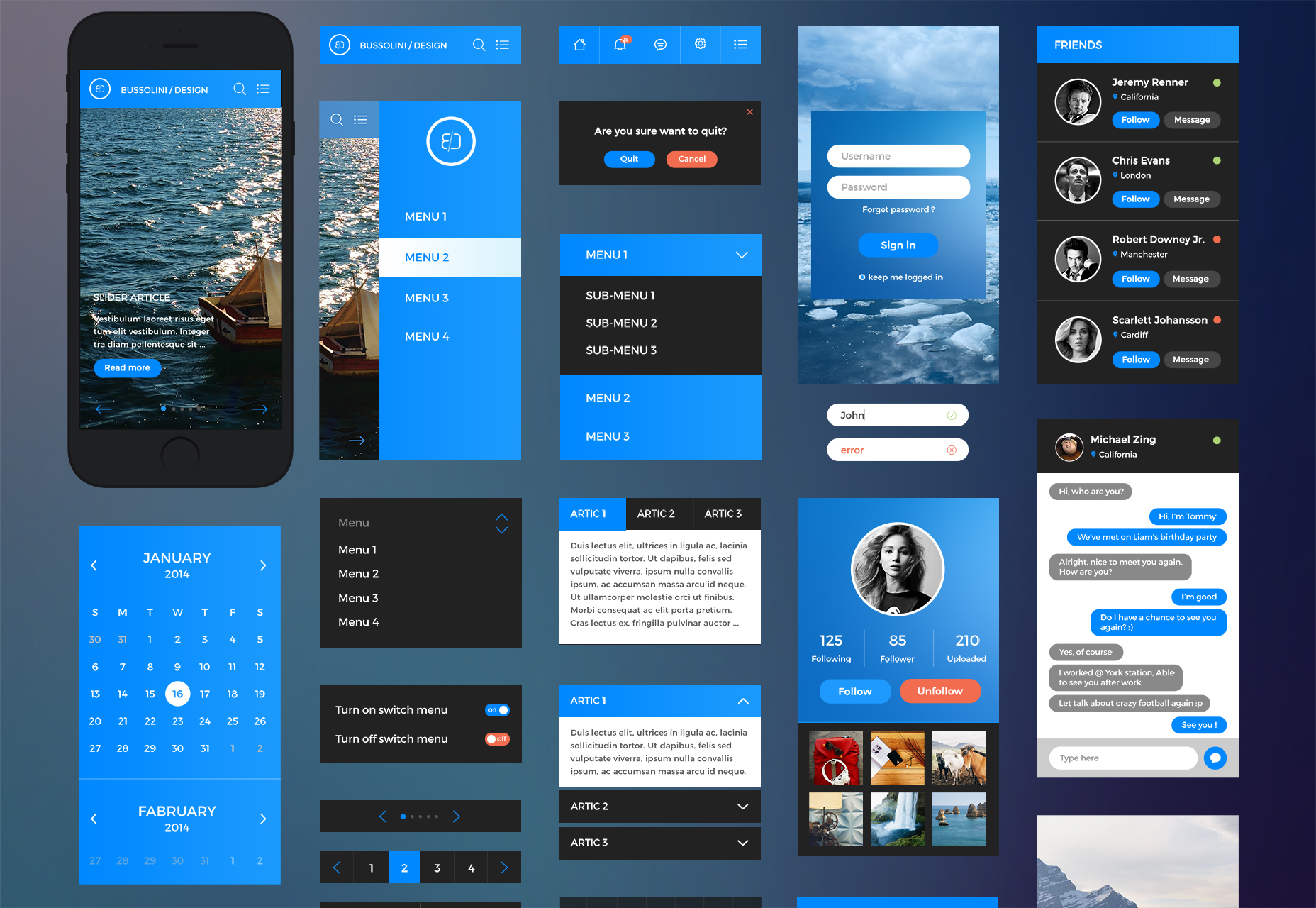
Mobile application interface: basic requirements
- Using UI elements familiar to the user, for example, a vertical newsfeed instead of a horizontal one.
- Reducing interface noise. The user should see the most important elements first, secondary functionality is hidden deeper.
- The main elements need to be scaled.
- Output data in a convenient format, for example, if it is a price, it is better to round the amount and not output the value of pennies or percent.
- Placing a call to action that will push the user to the right scenario for the developer.
- Less text and more visualization. The user should be able to see where they’ve gotten to and what they need to do.

- Кастомизация. It is important that the suggestions for the user, are relevant to their preferences.
- License requests. It is not recommended to immediately ask the user for all the rights necessary for the application, because when the user first gets acquainted with the program, it will not be clear to him what they are used for.
- Возможности. This point follows from the previous one: the customer must understand what benefits they will get from interacting with the program.
- Certain functionality implies an emphasis not on a feature-rich application, but an application that can qualitatively accomplish a certain task.
Principles of mobile web application interface development
Mobile application interface development has its own peculiarities, let’s dwell on each of them in detail:
- Uniqueness – this means that for each new program it is important to define the UTP, i.e. what makes this program stand out from similar ones.
- Taking care of the user implies that the application should resume from the point of stopping, be easy to manage and energy efficient.
- Responsiveness is an important part of interacting with an application, which means that the program should respond to all actions with its functionality. A person needs to know that their request is already being fulfilled or is being processed.

- Thinking through the minutiae is all about considering the user experience when designing the interface of a mobile app. For example, that you shouldn’t put “Send” and “Delete” next to each other.
- Utilizing touchscreen capabilities implies that you need to take away elements that resemble tab bars, boxes, and sliders from the app.
- Eliminating scrollbars, mobile functionality allows for more efficient solutions.
- Easy text entry is achieved by selecting a comfortable text field and a suitable keyboard size. You can add horizontal screen orientation.
- Pop-up warnings. Such windows irritate the user, so it is not recommended to use them unnecessarily.
- A well-designed icon should not only stand out from the rest, but also literally demonstrate what the app does.
Principles of application interface development in KOLORO
Icons for interface design
They should be understandable to the users. Unsigned symbols in user interface design are interpreted in too many different ways. It is difficult for the user to understand what the designer wanted to say with a “bird”, “bulb” or “arrow”. Buttons in the app interface should respond to any interaction – by vibrating, changing the color indicator or enlarging the icon. Lack of response to actions will be perceived as a sluggishness in the system or the user will think that he has pressed the wrong button.

Take finger size into account when creating user interfaces
Interaction with the system should be comfortable, especially when typing or selecting sections. Often developers do not consider the physiological characteristics of users when designing application interface design. Objects are too small for your fingers and typing becomes a misery. Therefore, you should take this into account when placing elements, place them far enough away from each other, and never put the “Erase” button next to “Submit”. Large and clear objects in the interface design are also useful for people with vision problems. Taking care of the user’s convenience and needs is a huge plus for the company, and the app will only get more popular.
Card layout for interface design
Fixed size blocks, rectangular or square, allow you to adapt your app design to different sized devices.
Convenience. Innovation. Quality. Order application interface design in KOLORO studio