3D visualization from KOLORO company
3D visualization is a process of creating accurate and realistic images of objects with the help of a computer program. It makes it possible to create images of various complexity (vehicle, watch, telephone, building). The process of 3D object visualization can be divided into two large components.
- 3D model creation – a virtual 3D model of the future product.
- Rendering is the process of creating an image from a 3D model using computer programs.
The resulting images are used in advertising, exhibitions, presentations, design projects, industrial production and construction. It is needed to present the project in the most positive and successful way possible.
Coming to a 3D visualization studio, the customer will be able to see a project that previously existed only in a text description or in the form of drawings. The technology helps to convey the shape, color, texture and reflective properties of the object.

Before visualizing the project, a model is created. At the stage of its creation you can view the future object from different angles and any point. Next, the designer selects and customizes the surface textures of the object.
Once the right lighting is set up, the best angles are selected and an image is created – as winning and attractive as possible.

In order to create a 3D visualization of a subject, you need to have source materials with which to create a 3D model. This includes:
- verbal or textual description;
- drawings of the future facility;
- photos of the object (if it exists);
- drawings, sketches, sketches;
- the object itself (if it exists);
- geo-foundation and building plans (for architectural visualization);
- A 3D model that needs to be finalized.
For a realistic result, you need as much information about the object to be visualized as possible. Very important is the technical documentation, which specifies the materials from which the object is made, its dimensions, texture and color.
Application of 3D visualization
Advertisement
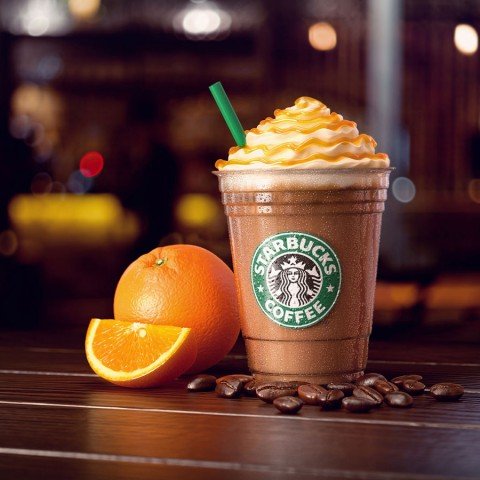
Advertising posters are often created by building a volumetric model and visualizing it. This is especially true for food and cosmetics. Still visualization is used when creating a character for advertising. The red and yellow of M&Ms is the result of this technology.

Project presentations
Visualization, more often than not, looks more impressive than a drawing or a photograph. Therefore, it is increasingly used for presentations, attracting investment in a project or selling objects that do not yet exist.

Industrial production
Before creating a device part or a complete product (an airplane engine or a car), you need to build a 3d model of the object. Visualization is used to present the created product.

Features of rendering and Vray program
Accurate and realistic images are obtained by using rendering programs. The task of the program is to calculate the illumination and color of an arbitrary point in a three-dimensional scene. The resulting image is a set of visual features that illustrate the physical properties of the object.
The most popular program is Vray. It is used more often than all its competitors combined. Alternatives to Vray are Mental ray, FinalRender and Brasil r/s.
3D visualization: what to pay attention to?
- Thorough preparation. You should start by finding good references of the future object. You need all views: from above, from the front, from the side. This will help to make a realistic 3D visualization.
- Parameter Measurement. The scene units are set correctly and the model should correspond to the real size of the object. This simplifies further work with light. If the model is initially larger than the real dimensions, the light will not fall realistically.
- Corner smoothing. In the real world, objects have not quite sharp edges, it is recommended to apply mowing to them.
- Attention to detail. It is the small details that add realism to the image and complete the image. It can be helpful to take the time to work on them.
- Entourage. Picturing a product on a white background helps to emphasize its advantages. However, some items will look better surrounded by other objects or set against a contrasting background.
For quality visualization for your project, please contact KOLORO. Creative approach of our company will help you realize your dream. Let’s create together!